Plan the move before moving the team.
Work through a department move or office reorganization in a draft floor plan. Publish the new arrangement when it is ready, while keeping the current layout intact during planning.
Card required for card signup. No charge during the trial; paid billing starts automatically unless you cancel before it ends. Trial and cancellation details
Plans from $30/month. Compare plans and limits
Establish the current seating plan
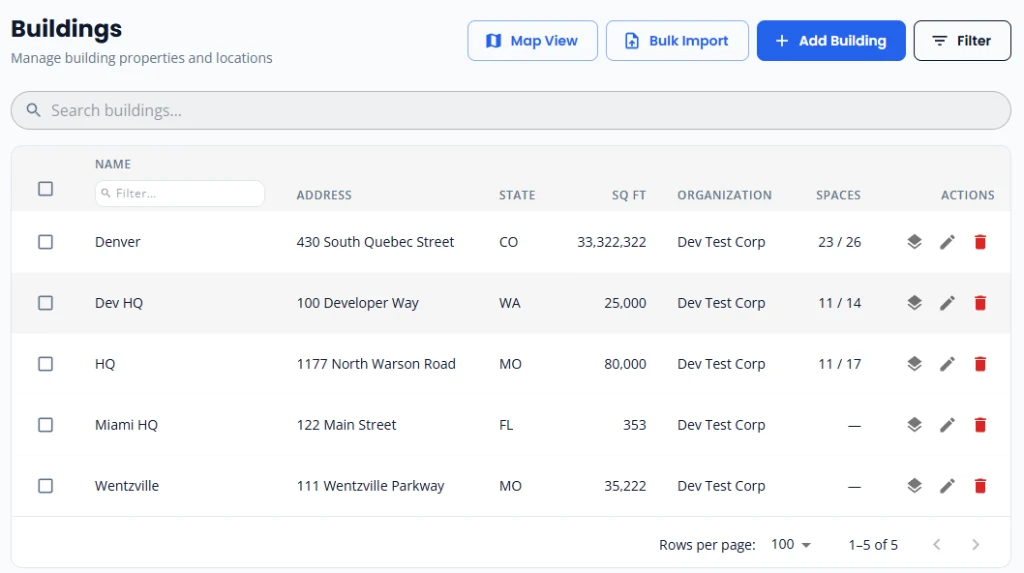
Map the destination floor and confirm space identifiers, capacity, and employee assignments. A shared starting point reduces ambiguity when several people are coordinating a move.
Try the new arrangement in a draft
On Business and above, create a draft floor plan to change desk assignments and review the proposed layout without changing the live version.
Review before publishing
Check team groupings, unassigned employees, and capacity with the people responsible for the move. Publish the draft when your team has approved the arrangement.
Keep the map useful after move day
Use the published layout as the seating reference for future employee changes. Reports describe assigned capacity; validate actual attendance separately before making lease decisions.
Utilization reports describe assigned space and mapped capacity. An assigned desk is not evidence that someone attended the office; these reports do not measure physical presence.
Find the right starting point
Talk through your office setup
Tell us about your buildings, seating plans, or IT requirements. To discuss a demo, call us at +1 (314) 470-7700, or email us and we'll get back to you shortly.
Considering Business or Premium? Ask us about help mapping your first floor. We can discuss your floor plan, setup scope, and next steps.